Project Case Study
nrlnabiladev v3 Overview
A developer portfolio designed to feel like a real code editor. Browse projects like files, navigate sections like tabs, and explore work the way developers actually think.
Framework
next
Route
/apps/nrlnabiladev-v3
Status
ongoing
This is the site you're on right now. It's a personal portfolio built to look and feel like a code editor — complete with a file explorer, tabs, and project case studies you can swipe through.
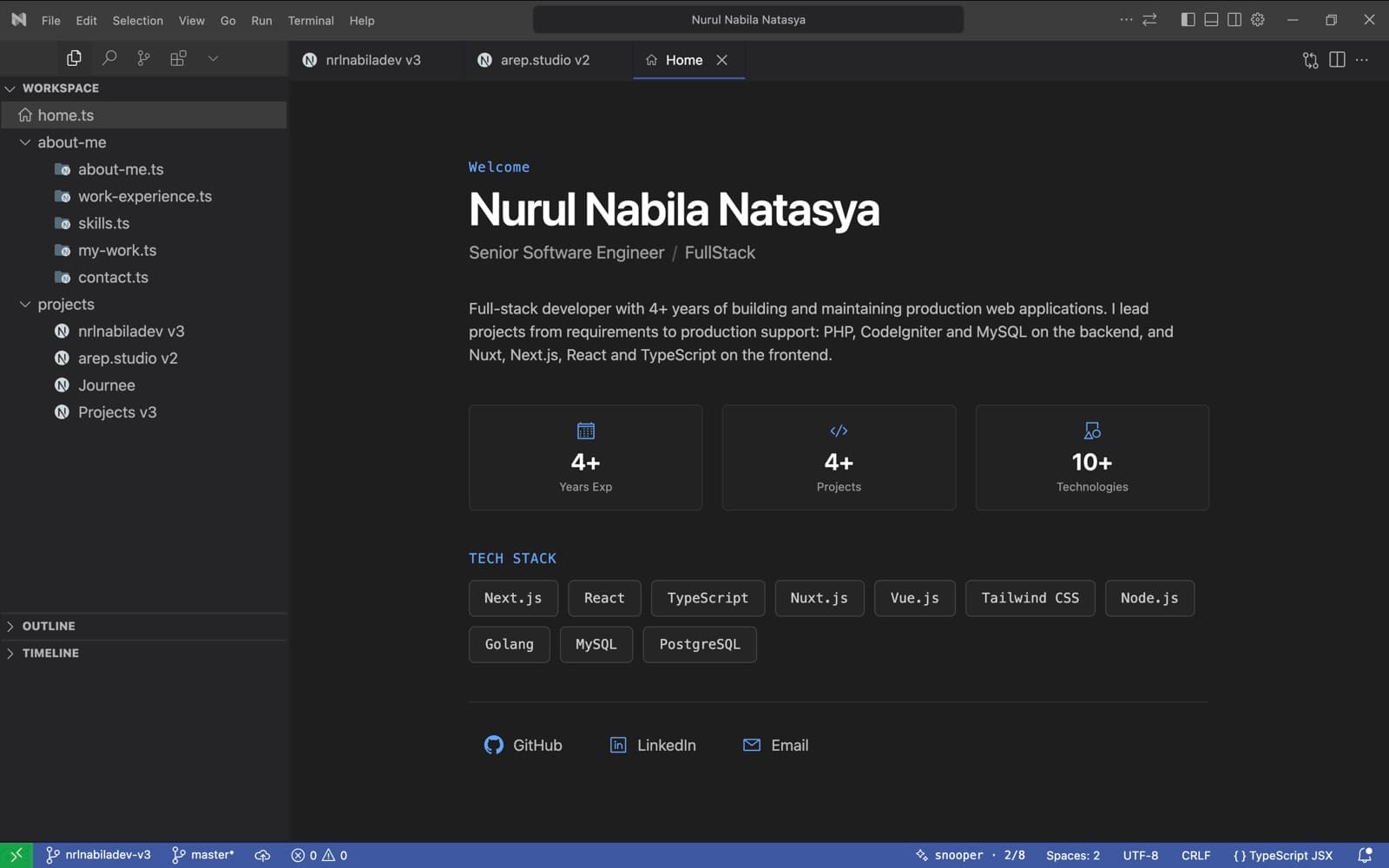
Landing + Workspace Layout
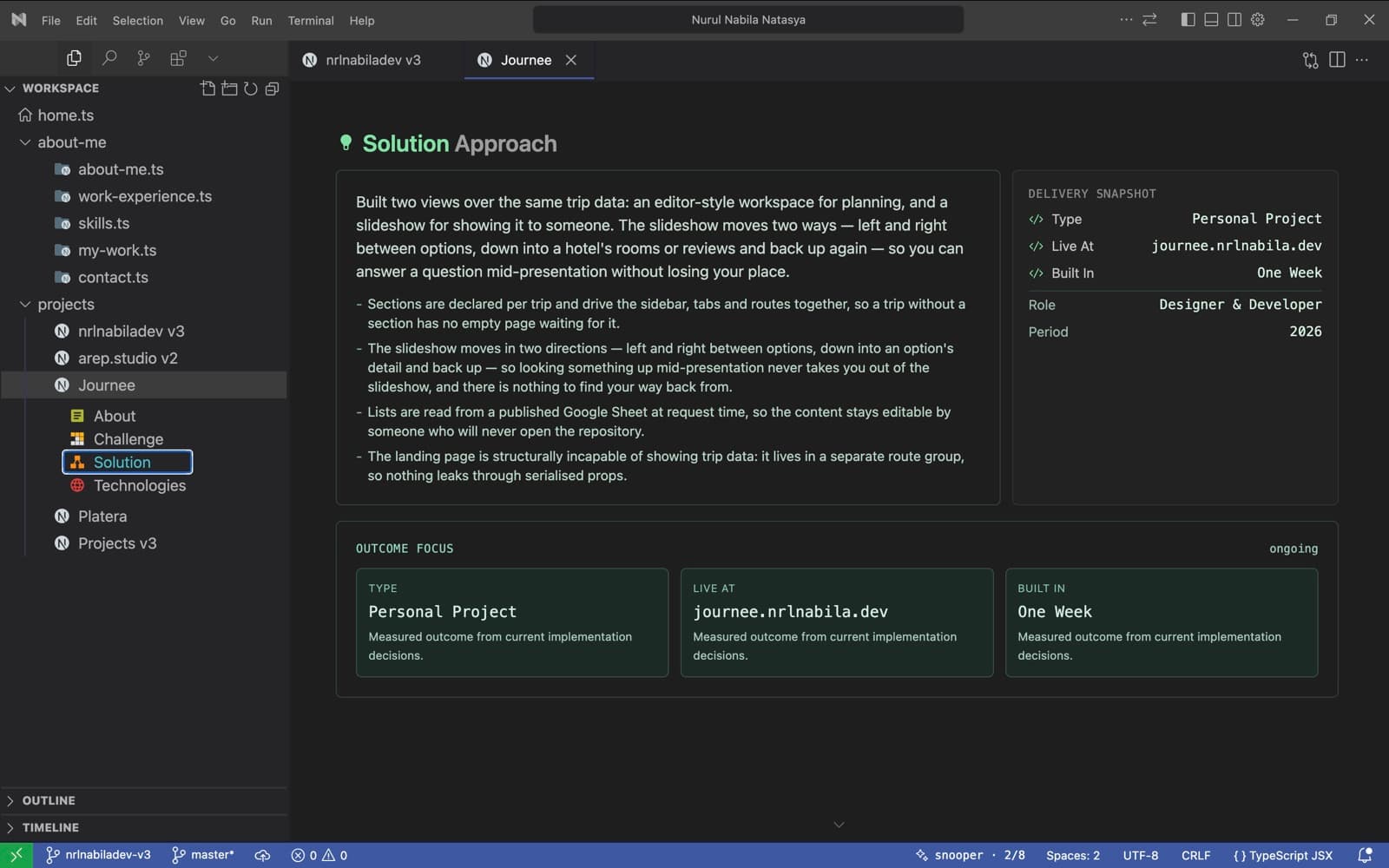
Section Pager Flow
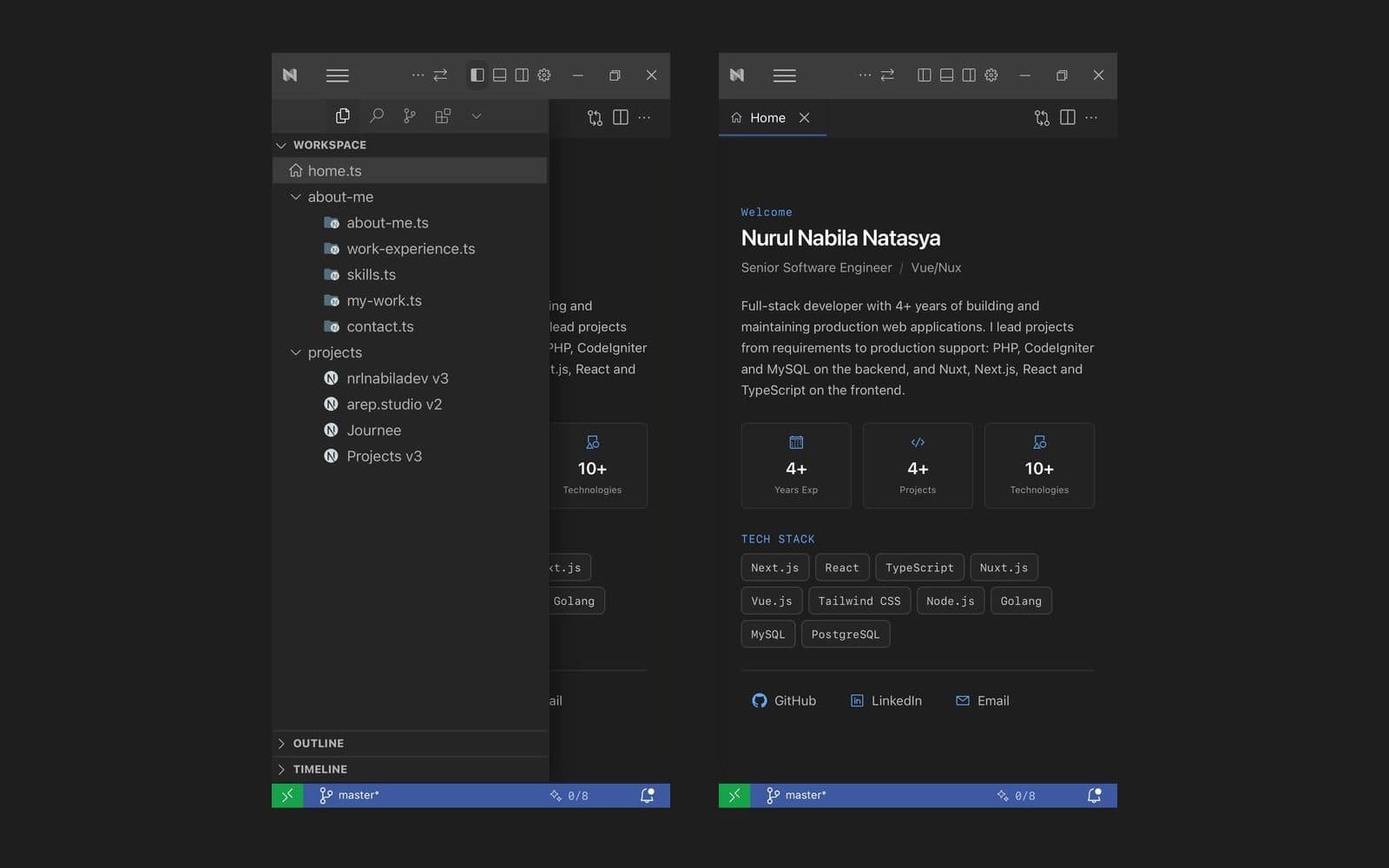
Mobile Navigation
Challenge Statement
Most developer portfolios look the same — a hero section, a grid of cards, and a contact form. I wanted something that actually reflects how I work as a developer, while still being easy for anyone to navigate on any device.
Instead of just listing projects on a page, this portfolio lets you explore them the way a developer would — through files and tabs. It's built to show how I think about user experience, not just that I can write code.
- IDE-style navigation with file explorer, tabs, and section tracking that feels familiar to developers.
- Each project has its own case study page with dedicated sections for challenge, solution, and tech stack.
- Fully responsive — mobile uses touch-friendly drawers and swipe navigation instead of hover-based interactions.
Solution Approach
Designed and built an interactive portfolio modeled after Cursor AI's editor interface. Visitors can browse projects through a file explorer, switch between content using tabs, and navigate project case studies with smooth section transitions — all fully responsive on mobile.
- All project data lives in a single config file, so adding a new project automatically creates its page, sidebar entry, and tab — no extra wiring needed.
- Section transitions use a pager model with scroll and swipe detection, so navigating between sections feels intentional rather than accidental.
- Mobile layout adapts the sidebar into an overlay drawer, and touch interactions are tuned to avoid common issues like double-tap or scroll lock.
- Visual cues like animated chevrons guide visitors to the next section without cluttering the interface.
Technologies Stack
- Next.js — Framework — handles routing, pages, and server-side rendering
- TypeScript — Language — adds type safety across the entire codebase
- Tailwind CSS — Styling — utility-first approach for fast, consistent UI
- Redux Toolkit — State — manages sidebar, tabs, sections, and chat panel
- Framer Motion — Animation — powers section transitions and UI interactions
- React Icons — Icons — provides the VS Code-style icon set used throughout